Get set up in minutes
Import your leads, build a route, and start knocking — most reps are in the field the same day.
7 days free · $49.99/mo · No card required
Three steps to your first knock
Whether you're on the 7-day free trial or already subscribed, this is the whole setup. One step at a time — each with a short video.
- 1
Import your leads
Get your leads out of paper stacks and spreadsheets and onto the map. Snap a photo of an address list, or upload a CSV or PDF — Knock It Pro maps every lead automatically.
- Download Knock It Pro and start your free trial
- Upload a CSV or PDF, or snap a photo of your lead sheet
- Add labels like 'Hot Lead' or 'PM Only' to organize as you go
- Open the map and see every lead pinned in place
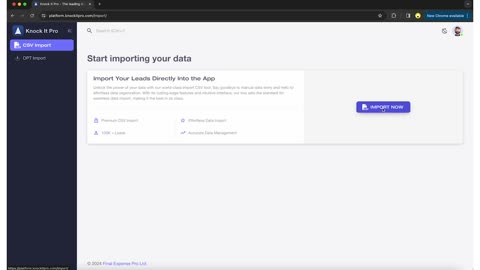
On loop: upload a CSV, match the columns, done. - 2
Build your first route
Lasso a group of leads on the map and tap "Start Route" — every door lines up in the fastest order. No planning, no backtracking.
- Lasso a neighborhood or pick leads one by one
- Set your start and end points (or add waypoints)
- Filter to exactly who you want: 'New Leads', 'Follow-ups', and more
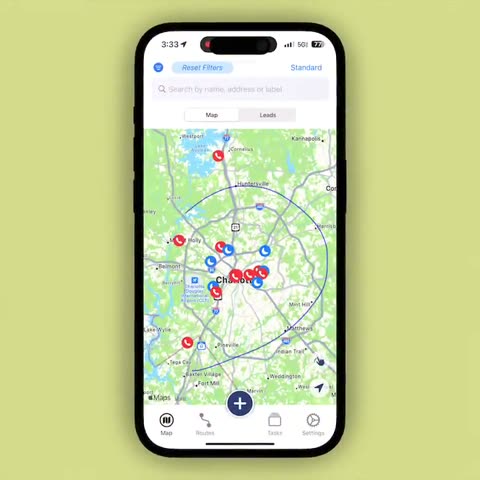
The exact gesture: lasso your leads, tap Start Route. - 3
Knock & log outcomes
Work the route door by door and log what happened at each one. Every outcome, note, and follow-up reminder is saved forever — so no lead is ever wasted.
- Navigate door to door straight from the app
- Record each outcome with labels and notes ('2 cars in driveway')
- Set follow-up reminders so nothing slips through the cracks
- Review your day: doors knocked, leads converted, plan for tomorrow
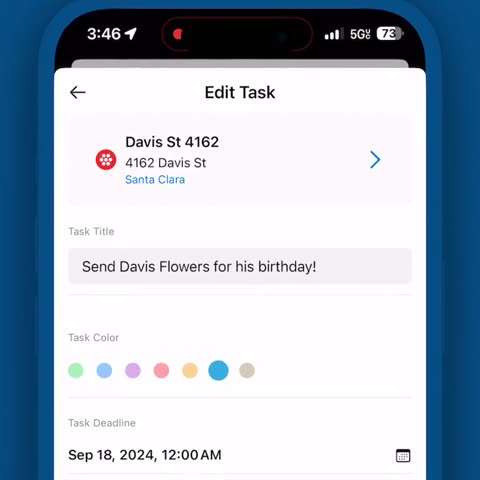
Outcomes logged, follow-ups checked off — nothing slips.
That's it — you're set up. Want to master the details? Everything else lives below.
Go deeper
The full tutorial library, organized by topic. Open a topic, pick a video — nothing loads until you ask for it.
Looking for mileage tracking? It runs automatically in the background — see how Extra Miles works →
Frequently asked questions
Ready for your first knock?
7-day free trial · $49.99/mo · Cancel anytime
If you don't see an increase in your sales after fully implementing our system, we'll refund your purchase — no questions asked.
Stuck on setup? Email the team or visit Support.